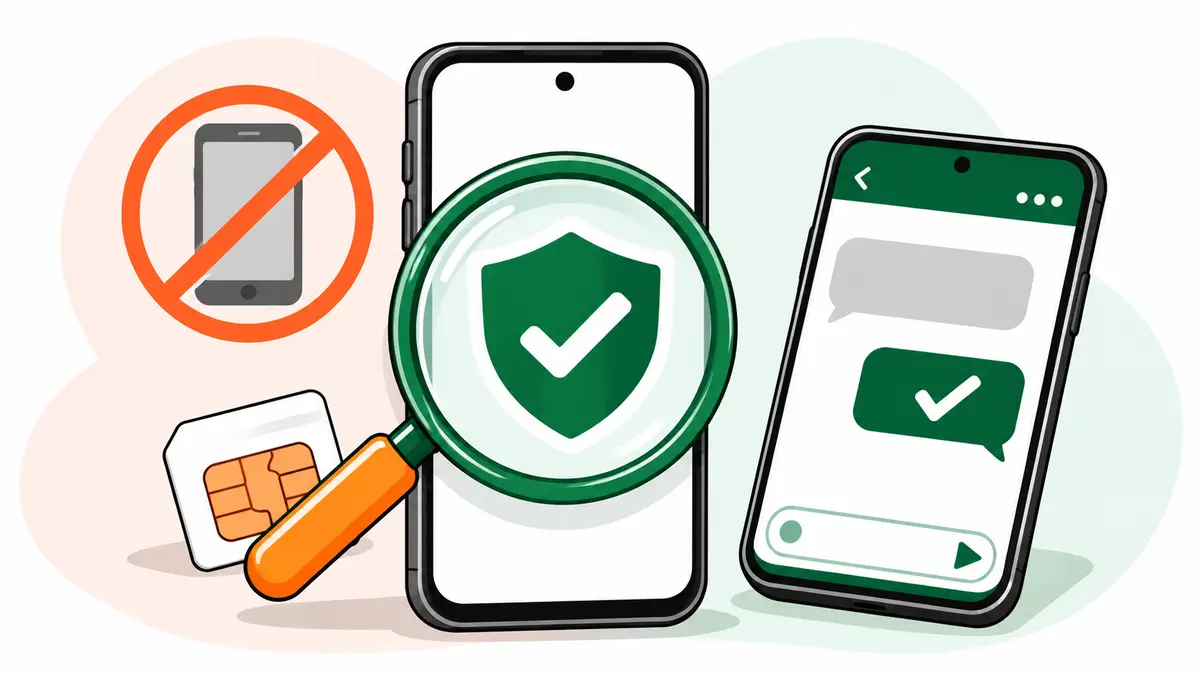
An IMEI check tells you whether a phone is stolen, blocked or fake in under a minute, for free, using the government’s Sanchar Saathi service. Send an SMS with the word KYM and the phone’s 15-digit IMEI number to 14422, or check it on the Sanchar Saathi website or app. If the reply shows the correct brand and model, the IMEI is valid. If it says the IMEI is blocked, blacklisted or invalid, don’t buy the phone.
This guide is part of our complete used phone guide for India. It shows how to find the IMEI, run the check three ways, read the result, and what to do if your own phone goes missing.
What the IMEI number is, and why it matters
Every mobile phone has an IMEI (International Mobile Equipment Identity), a 15-digit number that identifies that one handset on mobile networks. Dual-SIM phones have two IMEIs, one for each SIM slot.
The Department of Telecommunications runs the Central Equipment Identity Register (CEIR) through its Sanchar Saathi portal. When someone reports a phone lost or stolen and blocks it there, the phone is cut off from every mobile network in India. A blocked phone you buy second-hand is close to useless: it won’t make calls or use mobile data with any SIM.
That’s why an IMEI check is the single most important step before buying any used phone.
Step 1: Find the IMEI the right way
There are three places to find it, and on a genuine phone they all match:
- Dial *#06# on the phone. The IMEI (or both IMEIs) appears on screen.
- Phone settings. On most phones, look under Settings, then About phone (or General, then About on an iPhone).
- The box and the bill. The original box and purchase invoice usually print the IMEI.
If the number on screen doesn’t match the box or the bill, ask why. A mismatched box is common with stolen phones, because thieves rarely have the original packaging. Some phones also show the IMEI on the SIM tray.
Use the IMEI from the phone itself (dialling *#06#) for the check, not the one written on the box. The box can be swapped. The number the phone reports for itself is much harder to fake.
Step 2: Do the IMEI check on Sanchar Saathi
Sanchar Saathi calls this IMEI check service “Know Genuineness of Your Mobile Handset”, often shortened to KYM (Know Your Mobile). It works the same way for every phone sold in India, whether it’s an iPhone, a Samsung, a Redmi or any other brand. Brand support sites can tell you about warranty, but only this check tells you whether the phone is blocked on Indian networks. You can use it three ways.
By SMS (works on any phone)
Send an SMS in this format to 14422:
KYM 123456789012345
Replace the number with the phone’s 15-digit IMEI. According to the CEIR user manual, the reply gives the device details if the IMEI is valid, or tells you it’s invalid or blocked. The SMS route is the quickest IMEI check when you’re standing in front of the seller.
On the website
- Open the Know Your Mobile page on Sanchar Saathi.
- Enter your own 10-digit mobile number and the captcha, and request an OTP.
- Verify the OTP.
- Enter the 15-digit IMEI and submit.
On the Sanchar Saathi app
The official Sanchar Saathi app (Android and iOS) has the same option. Register with your mobile number, choose “Know Genuineness of Your Mobile Handset”, enter the IMEI and submit.
Step 3: Read the result
| What you see | What it means | What to do |
|---|---|---|
| Correct brand and model | The IMEI is valid and matches a real device | Check that it matches the phone in your hand, then continue your other checks |
| Brand or model doesn’t match the phone | The phone or its IMEI may have been tampered with | Don’t buy |
| Blocked or blacklisted | The phone has been reported lost or stolen | Don’t buy, and walk away |
| Invalid | The IMEI isn’t a genuine registered number, a sign of a fake or tampered phone | Don’t buy |
Match the IMEI check result carefully. A valid IMEI that belongs to a different model is just as bad as a blocked one, because it suggests the IMEI was changed.
For dual-SIM phones, do the IMEI check on both numbers. It takes ten seconds longer and removes any doubt.
If your own phone is lost or stolen: block it on CEIR
Blocking your phone stops anyone else from using it on Indian networks, and the CEIR system helps police trace it. Here’s the process from the CEIR user manual:
- File a police complaint (FIR or lost report) and keep a copy. Many states let you file a lost report online through the state police website.
- Get a duplicate SIM for your lost number from your telecom operator, because the portal sends an OTP to it.
- Go to Sanchar Saathi’s CEIR services and choose Block Stolen/Lost Mobile.
- Enter the phone details (IMEI, brand, model), police complaint details and your ID details.
- Verify with the OTP and submit.
- Save the 18-digit Request ID. You’ll need it to check the status or to unblock the phone later.
Once blocked, the phone can’t be used on any service provider’s network in India. If someone puts a SIM in it, that user’s details are recorded and shared with the police.
Your IMEI is printed on the box and the bill, so keep both safely when you buy a new phone. Finding the IMEI after a phone is stolen is much harder without them.
If you get the phone back
Use the Un-Block Found Mobile option on the same portal. Enter the Request ID, your mobile number for the OTP and the reason for unblocking. The request goes to the telecom operators, who unblock the phone on their networks. If you’ve lost the Request ID, the portal has a “Forgot Request ID” option that recovers it with your mobile number.
Other Sanchar Saathi tools worth knowing
The same portal has a few other free services that help with phones and fraud:
- Know Mobile Connections in Your Name: log in with an OTP to see every mobile number registered with your ID, and report any you don’t recognise. Useful if you’ve lost your phone or shared ID copies with shops.
- Chakshu: report suspected fraud calls, SMS or WhatsApp messages, such as fake KYC requests or impersonation of officials.
- Report international calls with an Indian number: a common trick behind fraud calls.
Chakshu isn’t for reporting money you’ve already lost. For financial fraud or cybercrime, call the national helpline 1930 or report at cybercrime.gov.in.
Frequently asked questions
Is the Sanchar Saathi IMEI check free?
Yes. The portal, app and the KYM SMS to 14422 are government services. Your operator may charge a normal SMS rate for the message.
Can I check an iPhone’s IMEI the same way?
Yes. The IMEI check works the same way for any phone sold in India. On an iPhone, find the IMEI under Settings, then General, then About, or by dialling *#06#.
What if the seller won’t let me check the IMEI?
Don’t buy the phone. A genuine seller has no reason to refuse a free, ten-second government check.
Can a blocked phone be unblocked by the buyer?
No. Only the person who blocked it can request unblocking, using the Request ID. If you’ve already bought a blocked phone, contact the police with your purchase details.