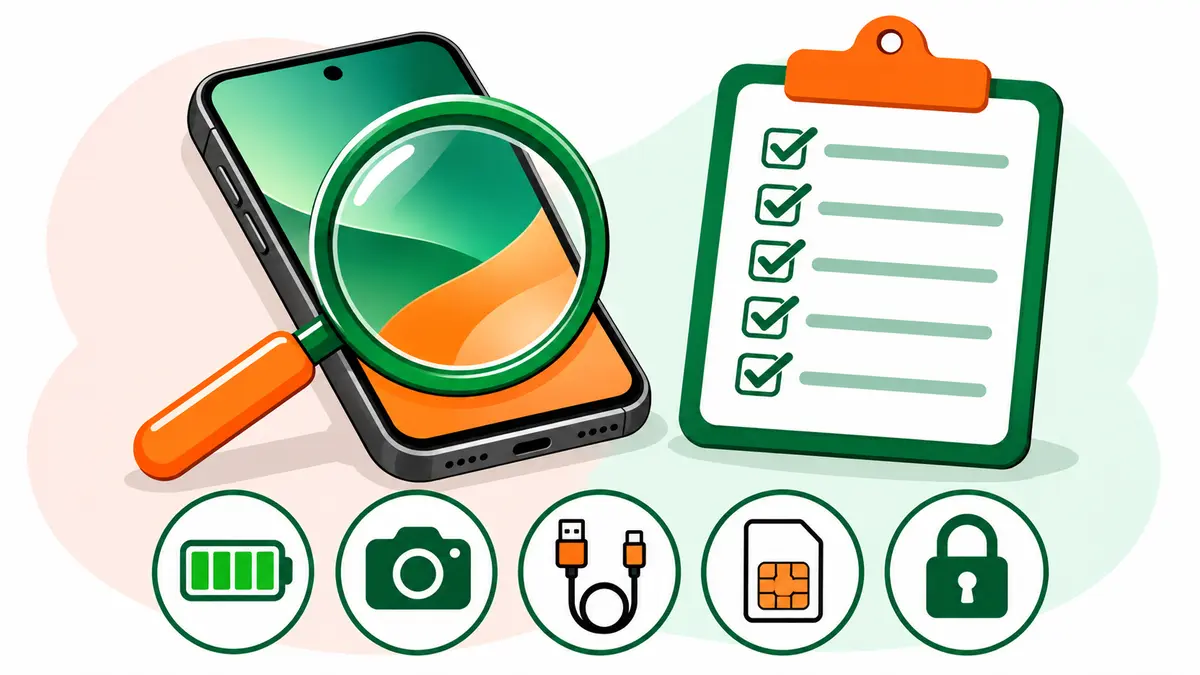
Buying a second hand phone can save you a lot of money, as long as you check three things before you pay: that the phone isn’t stolen or blocked, that it isn’t locked to someone else’s account, and that the hardware works the way the seller says. This checklist walks through each one in the order you’d do them at the seller’s place, in about 15 minutes.
For the selling side and the full process, see our complete used phone guide for India. Most of the checks are free. The most important one, the IMEI check, is a government service that takes less than a minute.
Before you meet the second hand phone seller
A few questions over the phone or chat save a wasted trip:
- Ask for the IMEI number and check it on Sanchar Saathi before you go (details in the next section).
- Ask whether the phone has the original box, bill and charger.
- Ask whether they bought it on EMI and whether any instalments remain.
- Ask why they’re selling and how long they’ve used it.
- Ask whether anyone has repaired it, or replaced the screen or battery.
A seller who won’t share the IMEI or answer basic questions isn’t worth meeting. Never pay an advance to “hold” a phone you haven’t seen.
Check 1: The IMEI (stolen, blocked or fake?)
Every phone has a 15-digit IMEI, and dual-SIM phones have two. The Department of Telecommunications lets anyone check an IMEI for free through Sanchar Saathi:
- On the phone, dial *#06# to show the IMEI. Compare it with the box and the bill.
- Send KYM followed by a space and the 15-digit IMEI by SMS to 14422, or use the Know Your Mobile page or the Sanchar Saathi app.
- Read the reply. A valid IMEI shows the brand and model. If it says the IMEI is blocked, blacklisted or invalid, or the model doesn’t match the phone in your hand, don’t buy it.
A phone reported lost or stolen and blocked on the CEIR system won’t work on any mobile network in India. Our step-by-step guide on how to check if a phone is stolen explains every result and what to do.
Check 2: Account locks and factory reset
This is the check many buyers forget, and it can turn a working phone into a paperweight.
Most modern phones stay linked to the owner’s Google account (Android) or Apple ID (iPhone). If the seller resets the phone without signing out first, the phone will ask for the old account’s password when you set it up. Without it, you can’t use the phone.
Here’s how to do it safely:
- Ask the seller to sign out of their Google account or Apple ID in Settings, in front of you.
- Ask them to factory reset the phone, in front of you.
- Start the phone and go through setup until you reach the home screen with your own account.
If the phone shows someone else’s account, or asks for a password the seller “can’t remember”, don’t buy it.
Check 3: Screen, body and buttons
Look over the second hand phone closely in good light:
- Screen: check for cracks, scratches, dead pixels and discoloured patches. Open a plain white image or webpage and look for spots or lines. Then test touch across the whole screen by dragging an app icon to every corner.
- Body: dents, a bent frame or gaps between the screen and the body often mean someone dropped or opened the phone.
- Buttons: press power, volume up, volume down and any other button. They should click cleanly.
- Ports: look inside the charging port for dirt or corrosion.
A replaced screen isn’t always a problem, but a cheap replacement can have poorer colour, brightness or touch response. Ask, and compare with photos of the original if you can.
Check 4: Battery
Batteries wear out with use, and a tired battery is the most common complaint with any second hand phone.
- On an iPhone, check Settings, then Battery, then Battery Health for the maximum capacity.
- On Android, some brands show battery health in settings or in their own support app. If not, watch how fast the percentage drops during your tests.
- Look at the back and sides for any bulging. A swollen battery is a safety risk, so walk away.
Ask whether anyone has replaced the battery, and where. A battery from an authorised service centre is fine. A cheap one from an unknown shop may not be.
Check 5: Cameras, sound and sensors
Run through these quickly:
- Cameras: take photos and a short video on the front and back cameras. Check focus, the flash and switching between lenses.
- Speakers and microphone: make a call, and record a short voice note and play it back.
- Fingerprint and face recognition: set them up with your own fingerprint or face.
- Vibration, proximity and rotation: turn on vibration, cover the top of the screen during a call, and rotate the phone.
Check 6: Network, Wi-Fi and charging
Put your own SIM card in each slot and make a call. Check that mobile data works.
Then connect to Wi-Fi and turn Bluetooth on. Plug in a charger and make sure the phone charges, and that the cable doesn’t need wiggling.
If the seller gives you a charger, check it. Electronic products like phone chargers sold in India need registration with the Bureau of Indian Standards. The BIS Care app lets you verify the R-number printed on the charger under the “Verify R-Number under CRS” option. An unregistered charger is a fire risk, and it’s cheaper to buy a genuine one than to replace a damaged phone.
Check 7: Papers and warranty
Ask for:
- The original bill or invoice, with the IMEI on it. It proves the seller bought the phone legally, and you need it for warranty claims.
- The box, with the same IMEI printed on it.
- Warranty status: most brands let you check warranty online with the IMEI or serial number on their official support website.
- EMI status: if the seller bought the phone on EMI, ask them to confirm it’s fully paid. On some finance schemes, the lender can lock the phone if payments stop.
Paying and the receipt
Once the phone passes:
- Agree on the price, using anything you found (a weak battery, scratches, a missing charger) as fair reasons to negotiate.
- Pay by bank transfer or UPI so there’s a record.
- Get a simple written receipt with the seller’s name, phone number, ID copy, the phone’s model, IMEI, price and date.
That receipt protects you. If the phone ever turns out to be stolen, it shows you bought it in good faith and gives the police a trail to follow.
After you buy the second hand phone
A few steps in your first hour with the phone:
- Factory reset it once more and set it up fresh with your own account.
- Install apps only from the Play Store or App Store. CERT-In’s internet safety booklet specifically warns against installing apps from links or third-party websites.
- Update the operating system to the latest version.
- Set a screen lock and turn on two-factor authentication for your accounts.
- Note the IMEI somewhere safe, along with the bill, in case the phone is ever lost or stolen.
The checklist on one page
| # | Check | Pass if |
|---|---|---|
| 1 | IMEI on Sanchar Saathi | Valid, and the model matches the phone |
| 2 | IMEI match | *#06#, box and bill all show the same number |
| 3 | Account lock | Seller signs out and resets in front of you; you reach your own home screen |
| 4 | Screen and body | No cracks, dead pixels, dents or gaps; touch works everywhere |
| 5 | Battery | Healthy capacity, no bulging |
| 6 | Cameras, sound, sensors | All work |
| 7 | Network and charging | Calls, data, Wi-Fi and charging all work with your SIM and cable |
| 8 | Charger | R-number verifies in the BIS Care app |
| 9 | Papers | Original bill with IMEI; warranty and EMI status clear |
| 10 | Receipt | Written, with IMEI, price, date and seller’s ID |
Frequently asked questions
Is it safe to buy a used phone from OLX or social media?
It can be, if you meet in a public place, run the IMEI check, test the phone and pay only after the seller removes the account lock. Never send money in advance or pay through a link the seller sends you.
What if the seller doesn’t have the bill?
It’s a risk. Without a bill, you can’t claim warranty, and you have weaker proof of legal purchase. If the IMEI check is clean and the price reflects the missing bill, some buyers go ahead. Get a detailed written receipt either way.
Can a phone’s IMEI be changed?
Tampering with an IMEI is a serious red flag. That’s why the Sanchar Saathi check compares the IMEI with the registered brand and model: a mismatch means something is wrong.